ImpactBoard: A Project Monitoring System for Research Deliverables and Stakeholder Reporting
ImpactBoard is a project monitoring system designed to turn scattered progress updates, deliverables, and documents into clear dashboards and stakeholder-ready views.
- Streamlit
- SQLite
- Python
- Next.js
- Supabase
- Product-minded full-stack builder
- In Progress
- 2025 — ongoing
- Project Monitoring System
- Private · sanitized case study
Context & why it matters
Projects generate a steady stream of updates, deliverables, files, and decisions across scattered channels. Supervisors, stakeholders, and project leads all need a shared view of where things stand — and a dashboard is only useful when it's tied to that real workflow, not just a wall of charts. ImpactBoard began as a lightweight dashboard MVP and is evolving toward a more structured, multi-organization project monitoring platform.
Programs are judged on progress, and progress stays invisible until updates, deliverables, and decisions are pulled into one legible view.
Problem
Progress information is usually fragmented across channels, which makes deliverables hard to track without a single source of truth. Stakeholders need visibility without admin-level access, project leads need quick status summaries, and the documents and evidence behind the work need to stay connected to the tasks and deliverables they belong to.
System goals
- Track organizations and projects
- Track workstreams or pods
- Track tasks and deliverables
- Attach or reference supporting documents
- Provide distinct admin and viewer experiences
- Support shareable stakeholder views
- Surface progress metrics and visual summaries
- Keep access boundaries clear
Product evolution
- A lightweight Streamlit / SQLite MVP to validate the workflow
- Separation of admin and viewer experiences
- A public, shareable viewer link for stakeholders
- A rebuild direction on Next.js and Supabase
- A more structured role-based, multi-organization model
Architecture
ImpactBoard separates administrative workflows from stakeholder-facing views. The system models progress around organizations, projects, workstreams, tasks, deliverables, and evidence so updates can become structured data instead of scattered messages.
- Frontend — separate admin and stakeholder-facing experiences
- Access model — admin vs viewer, moving toward role-based access
- Data model — organizations, projects, workstreams, tasks, and deliverables
- Evidence — documents and supporting files referenced against deliverables
- Dashboard & metrics — progress summaries and visual rollups
- Share / viewer layer — controlled, shareable stakeholder views without admin access
Core features
- Project dashboard
- Workstreams / pods
- Tasks
- Deliverables
- Status tracking
- Document / evidence handling
- Public or controlled viewer page
- Admin controls
- Metrics and visual summaries
- Role-aware access
Technical decisions
- Dashboard as a workflow surface, not just visualization
- The dashboard is where progress is updated and read, so it's built around the workflow rather than as a charts-only view.
- Separate admin and viewer concerns
- Admins manage the data; stakeholders consume a tailored view — keeping the two apart keeps each experience focused.
- Shareable views without exposing admin access
- Stakeholders get a link to exactly what they need to see, with no path into administrative controls.
- A structured progress model
- Modelling organizations, projects, workstreams, tasks, and deliverables turns scattered updates into queryable, comparable data.
- Role-based access as the direction
- Admin/viewer separation is the first step toward proper role-based access as the model grows.
- Sanitized demo data for the portfolio
- Public proof runs on fake data, so the product can be shown without exposing real project information.
- Iterate from MVP to stronger architecture
- Shipping a lightweight MVP first validated the workflow before investing in a more structured rebuild.
Tradeoffs
Ship a simple MVP first
Less architecture up front, in exchange for validating the real workflow before committing to a structured rebuild.
Shareable public views with controlled access
More care around what's exposed, in exchange for stakeholder visibility without admin access.
Flexible project structures vs a clean UI
Supporting varied project shapes adds modelling work, balanced against keeping the interface simple.
Portfolio proof without real stakeholder data
Demos run on sanitized data — a step removed from production, but no private information is exposed.
Multi-organization support without overbuilding v1
A little extra modelling for multiple organizations, without overcomplicating the first release.
Outcomes
- A single place to see project progress
- Stakeholder views that don't require admin access
- Progress captured as structured data, not scattered messages
What it demonstrates
Shows I can turn fragmented progress reporting into a clear decision surface for non-technical stakeholders.
- Turning vague progress reporting into structured software
- Designing dashboards around decisions, not just charts
- Separating admin workflows from stakeholder-facing views
- Reasoning about access, documents, metrics, and product usability
Proof assets
Some proof assets use dummy data or are shared as private walkthroughs to protect sensitive systems and records.
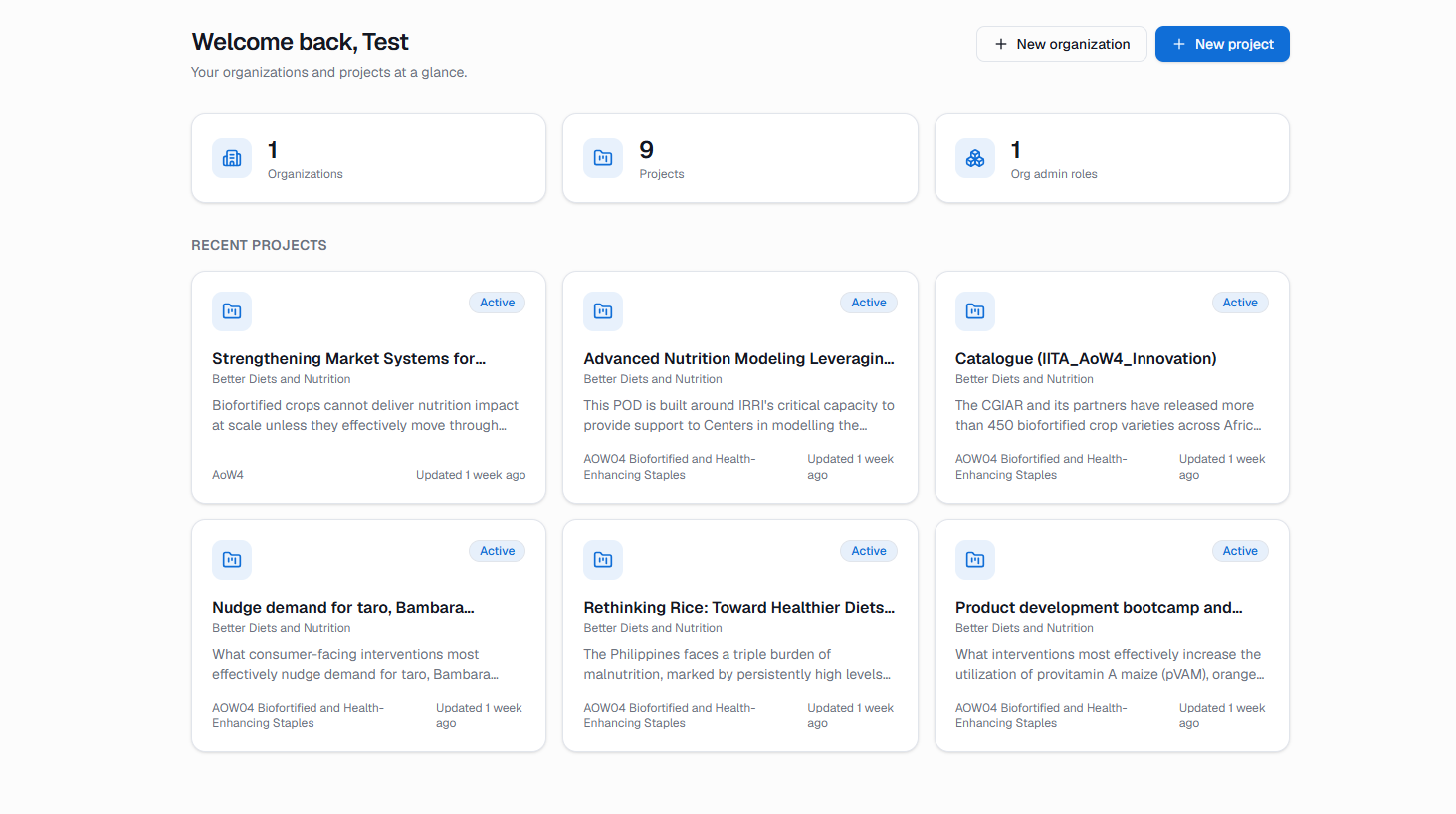
Organizations and projects at a glance, on demo data. 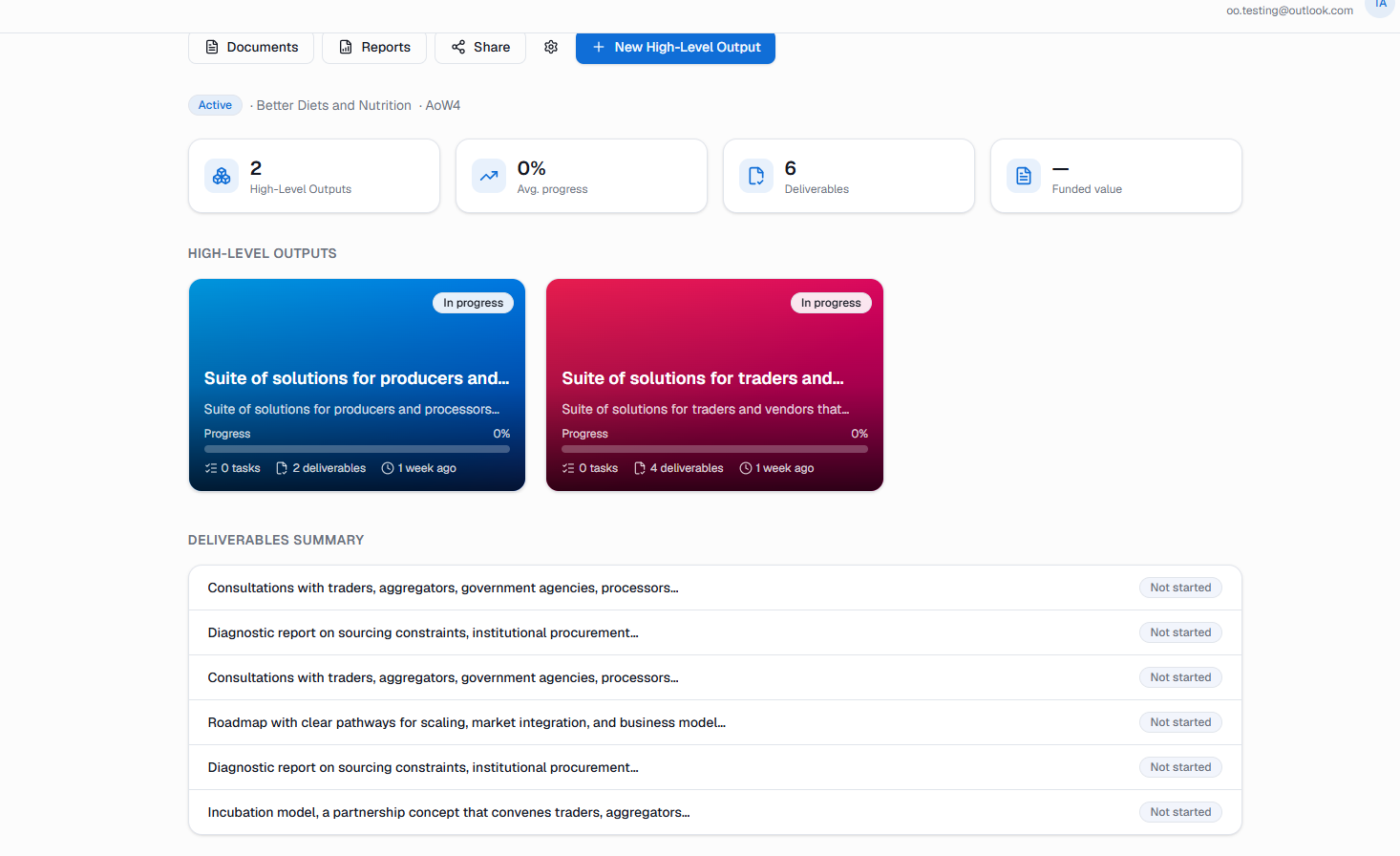
High-level outputs with a rolled-up deliverables summary, on demo data. 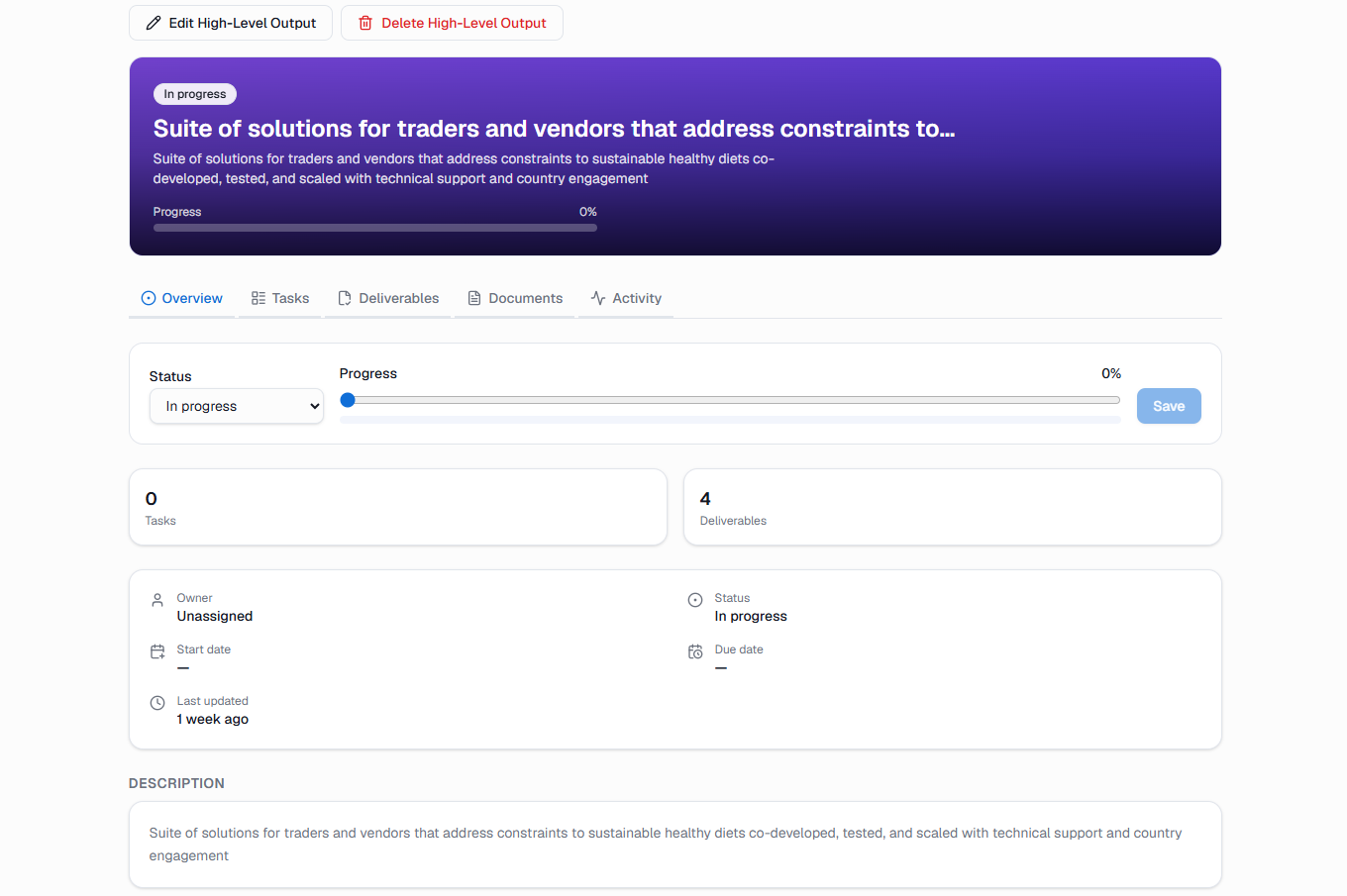
Status, progress, tasks, and deliverables for a single output, on demo data.
- Available
Demo instance with fake data
A try-it instance running entirely on dummy data.
- Planned
Data model diagram
Organizations, projects, workstreams, and deliverables.
- Private Walkthrough
Product walkthrough
A guided product tour, on request.
Privacy
Next steps
- Add a demo-data walkthrough
- Add the data model diagram
- Expand the role and access narrative
- Add document upload and reporting proof when ready
Stack
- Streamlit
- SQLite
- Python
- Next.js
- Supabase